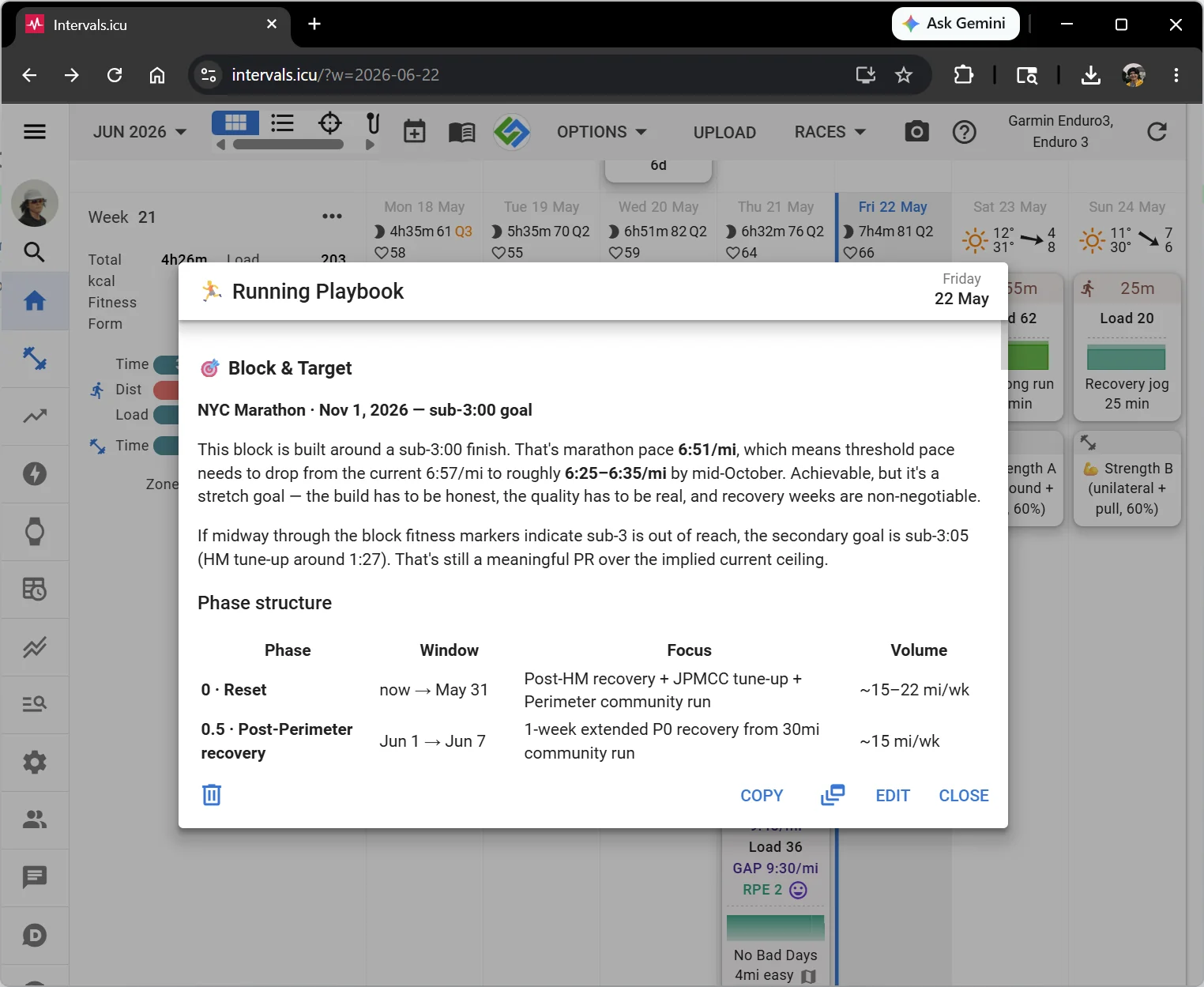
Four flows users actually run, end to end. Each shot below is a real session — not a mockup.
The workout-context skill teaches the assistant where your athlete profile, training paces, and recent activity live. It pulls them at the start of a session so advice is grounded in your numbers — current threshold, last week's volume, planned next workout — instead of generic templates.
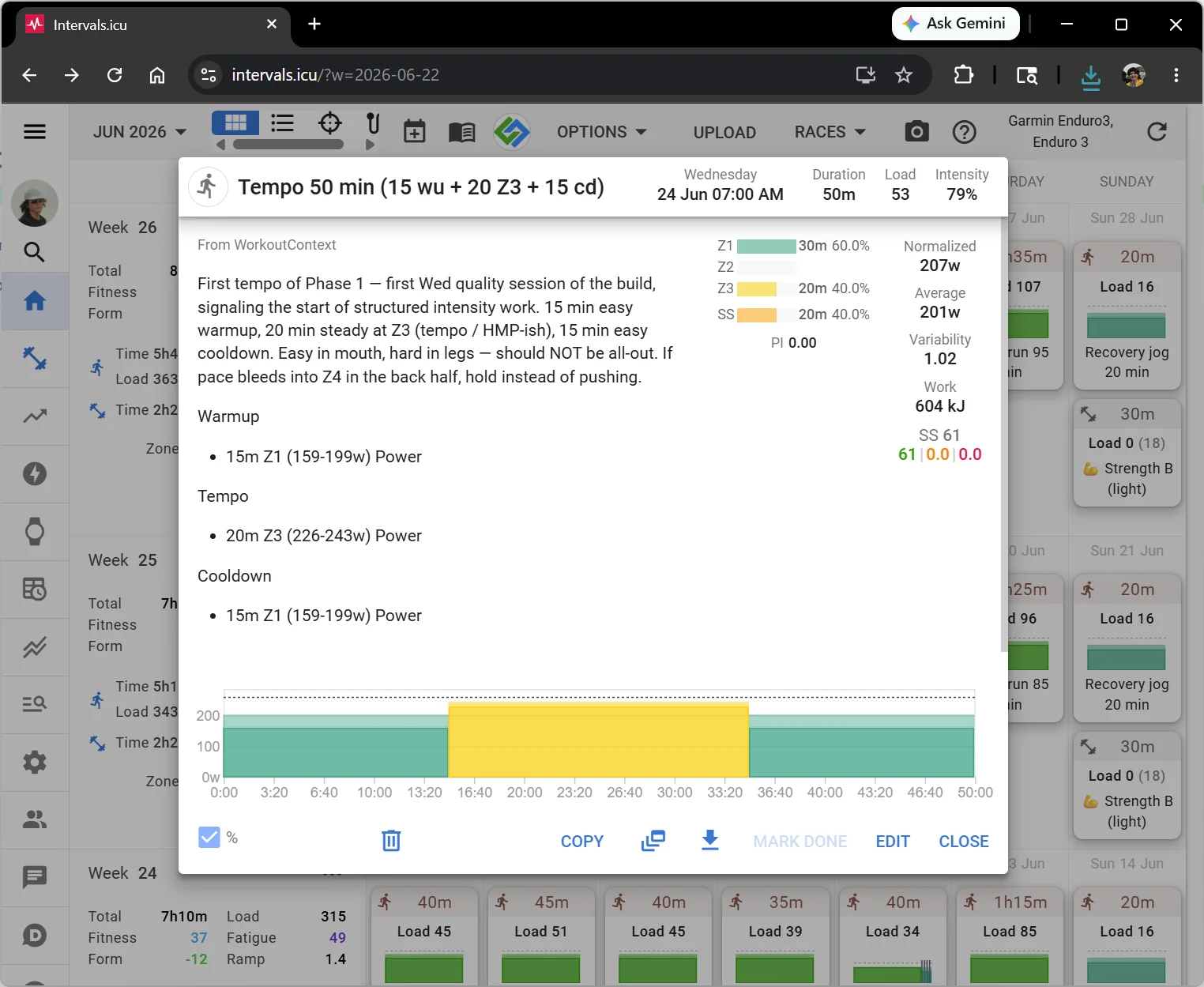
Ask for a tempo session and the assistant writes it as a structured workout in intervals.icu — proper warm-up / main set / cool-down, with paces or %FTP/%threshold pulled from your sport settings. From there, intervals.icu's Garmin and Coros integrations push the workout to your watch automatically, ready to execute step-by-step on your wrist when you head out the door.
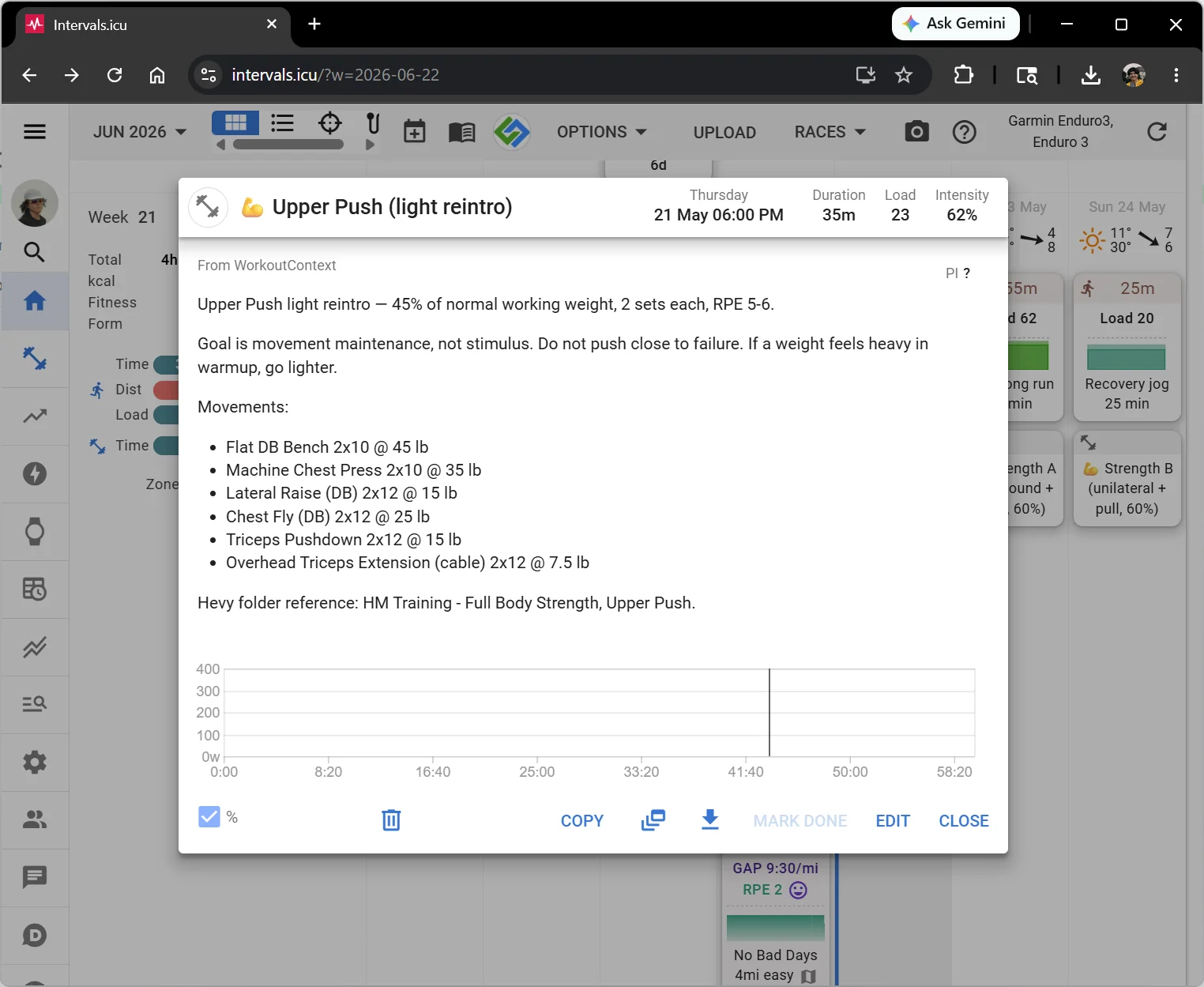
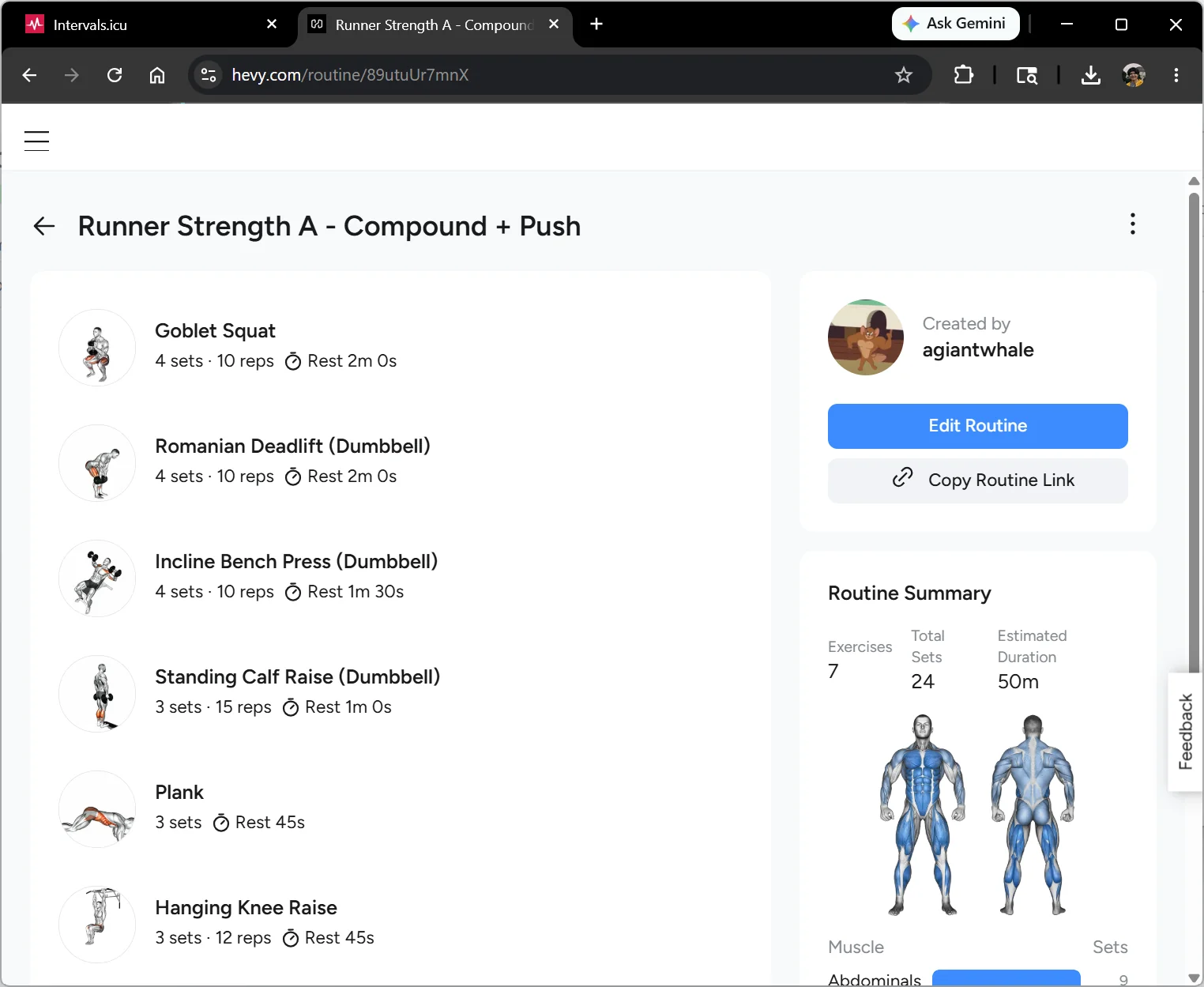
For strength days, the assistant builds a Hevy routine — working weights informed by your recent set history, not guesses. You execute the session from the Hevy app on your phone; the assistant has already paired it with a calendar event so it lands as planned training.
Once you finish a Hevy session, the built-in Hevy → Intervals.icu sync mirrors it across as a structured activity — duration, exercises, set-level detail — so your training load chart reflects the strength work, not just the runs and rides. No cron, no polling: Hevy webhooks fire the moment you save.
Ready to wire your own data in?